
Best AI Art Generators Compared: An Honest 2026 Review
TL;DR: Midjourney is still the artistic quality king. DALL-E 3 / GPT-Image-1 is the best at following complex prompts. Stable Diffusion is free and infinitely customizable if you are technical. Adobe Firefly is commercially safe but conservative. Google Gemini / Imagen is improving fast. Art-ificial is the only platform where you generate and order physical prints in one flow. The “best” generator depends entirely on what you are trying to do.
The AI art generator landscape in 2026 is, frankly, overwhelming. Every month there is a new model release, a new benchmark, a new Twitter thread claiming everything has changed. Most comparison articles are either paid promotions or written by people who tested each tool for fifteen minutes. This one is different: we run two AI models on our own platform (OpenAI and Google Gemini), we have processed tens of thousands of generations, and we sell the results as physical prints. We have no reason to lie about what each generator is actually good at — our business depends on people getting results they want to hang on their walls.
Here is an honest, opinionated breakdown of every major AI art generator available right now, based on real use.
What do you want on your wall?
Type it. The AI generates it in seconds — then we print it on canvas from $15 or a 4×6 ft tapestry for $39.
Free to try, no sign-up · you only pay if you order a print
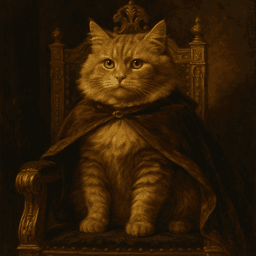
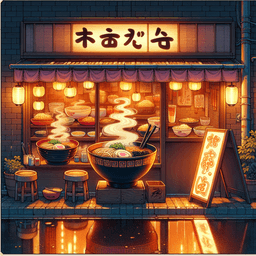
Generated, printed & in the shop
DALL-E 3 / GPT-Image-1 (via ChatGPT & Art-ificial)
OpenAI’s image generation has come a long way. DALL-E 3, and the newer GPT-Image-1 model, are available through ChatGPT Plus and through platforms like ours that use the OpenAI API. If you have used ChatGPT to generate images, you have used this engine.
Strengths
Prompt compliance is best-in-class. This is the generator you want when your prompt says “a red bicycle leaning against a yellow brick wall with a black cat sitting in the basket and a small sign that reads ‘OPEN’ on the door behind it.” DALL-E will actually render all of those elements, in the right positions, with the text spelled correctly. Midjourney will give you a vibes-y bicycle scene that looks gorgeous but probably puts the cat on the ground and misspells the sign. This matters enormously for people who have a specific composition in mind.
Photorealism is excellent. Text rendering is the best in the industry — no other generator comes close at putting readable, correctly-spelled text into images. And the overall technical quality is high: clean edges, accurate anatomy, coherent lighting.
Weaknesses
The images can feel too polished. There is a certain clinical quality to DALL-E output — every surface is smooth, every light source is studio-perfect. It lacks the artistic grit and intentional imperfection that makes Midjourney images feel like they were created by a cinematographer. The safety filters are also aggressive: prompts that are entirely reasonable for art (certain body types, some historical subjects, anything adjacent to violence) will get rejected. This is frustrating for serious creators.
Pricing
ChatGPT Plus costs $20/month and includes image generation (with daily limits that vary). You can also generate via Art-ificial at $2.99 for 25 images — about $0.12 per image with no subscription commitment.
Best For
People who know exactly what they want and need the AI to follow detailed, multi-element instructions. Also the best choice for anything requiring text in the image.
Midjourney v6 / v7
Midjourney is the generator that made AI art feel like art, not just “AI output.” Their images have a cinematic, intentional quality that no other generator has consistently matched. When people share AI art on social media that makes you stop scrolling, it is usually Midjourney.
Strengths
Aesthetic quality is unmatched. Midjourney images look like they were art-directed by someone with taste. The lighting, the color grading, the composition — there is an intentional mood to every output that DALL-E and Stable Diffusion struggle to replicate. This is not a subjective claim; it is the consensus among people who use multiple generators daily. The v7 model in particular has narrowed the prompt-following gap with DALL-E while maintaining that signature visual quality.
It excels at atmosphere, mood, and “vibe.” If your prompt is more about a feeling than a specific arrangement of objects, Midjourney will outperform everything else. Fantasy art, cinematic scenes, moody portraits, atmospheric landscapes — this is Midjourney’s territory.
Weaknesses
The Discord-based workflow is clunky. Yes, they are building a web app, and yes, it is improving, but as of early 2026 the experience of typing prompts into a Discord channel and having your images appear alongside everyone else’s is still the primary interface for most users. It works, but it is not elegant. Prompt compliance, while improved in v7, still lags behind DALL-E for complex, multi-element scenes. And text rendering in images is mediocre. The pricing also adds up: the $10/month basic plan runs out fast if you are iterating on ideas. Most serious users need the $30/month standard plan.
Pricing
$10/month basic (limited generations), $30/month standard (enough for most users), $60/month pro (heavy use). No free tier.
Best For
People who want beautiful, artistic images and value aesthetic quality over pixel-perfect prompt compliance. If you are making wall art for your home, Midjourney’s output tends to look the most “gallery-ready” out of the box.
Google Gemini / Imagen (via Art-ificial)
Google has been quietly improving their image generation capabilities. Imagen, accessible through the Gemini platform and through API integrations like ours, has gotten surprisingly good in recent months.
Strengths
Fast generation speeds — noticeably quicker than DALL-E in most cases. Good at natural scenes: landscapes, nature photography, outdoor settings. The free tier through Google is genuinely useful for casual experimentation. And the improvement trajectory is steep; if you tried Imagen six months ago and were unimpressed, it is worth revisiting. Google is throwing serious resources at this.
Weaknesses
Still catching up on artistic quality compared to Midjourney and DALL-E. Results can feel generic — technically competent but lacking a distinctive aesthetic voice. The safety filters are very conservative, arguably the most restrictive of any major generator. Google clearly wants to avoid controversy, which is understandable from a corporate perspective but limiting for creators.
Pricing
Free tier available through Google. Also available via Art-ificial alongside our OpenAI integration — same $2.99 for 25 credits pricing.
Best For
Quick generation, nature and landscape art, and people who want a free option to start with. Also a solid choice if you want to compare outputs from different models before committing to a print — which is exactly why we offer both on our platform.
Stable Diffusion (3.5 / SDXL)
Stable Diffusion is the open-source option, and “open source” in this context means something profound: you can download the model, run it on your own hardware, modify it however you want, and face zero content restrictions. This is both its superpower and its barrier to entry.
Strengths
Total control. No content policy. No subscription. No API rate limits. The community has built thousands of custom models and LoRA fine-tunes for specific styles — anime, photorealism, specific artists’ styles, product photography, you name it. If you want to generate images of a very specific style that no commercial generator supports, Stable Diffusion is probably your only option. ComfyUI and Automatic1111 give you node-based workflows that let you chain models, upscalers, and post-processing in ways that commercial platforms cannot match.
Weaknesses
The learning curve is real. You need Python knowledge (or at least comfort with following technical setup guides), a decent GPU (8GB VRAM minimum, 12GB+ recommended), and willingness to troubleshoot. The base models are good but not as immediately impressive as Midjourney or DALL-E — the magic happens when you find the right community fine-tunes, which requires research and experimentation. This is not a “type a prompt and get a great image” tool for beginners.
Pricing
Free, but you need a good GPU ($300+ for a used RTX 3060 12GB) or pay for cloud compute ($0.50-2/hour on services like RunPod or Vast.ai).
Best For
Technical users who want maximum control and customization. Also the best option if you need to generate large volumes without per-image costs, or if you need content that commercial generators won’t produce due to safety filters.
Adobe Firefly
Adobe took a different approach to AI art: they trained Firefly exclusively on licensed content (Adobe Stock, public domain, and openly licensed work). The result is a generator that is commercially safe by design — you can use Firefly output in client work without worrying about copyright lawsuits. This is a genuine differentiator.
Strengths
Commercial safety is the headline feature. If you are a designer producing work for clients, this matters more than raw aesthetic quality. Firefly integrates directly into Photoshop, Illustrator, and other Creative Cloud apps, which makes it a natural extension of existing professional workflows. The generative fill and expand features in Photoshop are genuinely useful for production work, not just gimmicks.
Weaknesses
The output is more conservative than Midjourney or DALL-E. The images are technically competent but rarely surprising — they feel safe, which is the point for commercial work but disappointing for personal creative use. Standalone Firefly is $4.99/month; full capabilities require Creative Cloud ($55+/month). If you are not already in the Adobe ecosystem, it is hard to justify for personal art projects.
Pricing
Included with Creative Cloud subscriptions. Standalone Firefly plan is $4.99/month with limited credits.
Best For
Professional designers who need commercial licenses and want AI generation built into their existing Adobe workflow. Not the best choice for personal wall art where “wow factor” matters more than legal safety.
What Makes Art-ificial Different
Let’s be transparent here: we are not claiming to have the best AI model. We use OpenAI and Gemini — the same models available elsewhere. You can generate images with ChatGPT or Google and get the same underlying quality. So why would you use Art-ificial?
Because we are the only platform where you generate and order physical prints in a single flow. Generate an image, preview it on a canvas or tapestry, order it — all without leaving the site. No downloading a PNG, uploading it to a print service, worrying about resolution and color profiles, figuring out aspect ratios. The entire experience is designed for people who want canvas prints and tapestry wall hangings, not just digital images.
Our pricing is straightforward: $2.99 for 25 credits (about $0.12 per image), with 10 free credits when you sign up. Canvas prints start at $15 for an 8×8”, go up to $70 for a 24×24”. Tapestries are $39 for a 4×6 foot wall hanging. If you are generating art specifically to print and hang, the convenience factor is real.
The Honest Recommendation
There is no single “best” AI art generator. Anyone who tells you otherwise is selling something (or has only tried one tool). Here is a decision framework based on what actually matters:
If you want the highest artistic quality and have $30/month to spend: Midjourney is hard to beat. The output just looks better. Period.
If you want precise prompt control and accurate text: DALL-E 3 / GPT-Image-1 is the clear winner. It does what you ask, reliably.
If you want to create AND print wall art without juggling multiple services: Art-ificial is designed for exactly this. Generate, preview on a product, order. One flow, no file management.
If you are technical and want free, unlimited, customizable generation: Stable Diffusion. The learning curve pays off if you are willing to invest the time.
If you are already paying for Creative Cloud: Firefly is solid and commercially safe. Use it.
If you want a free starting point: Google Gemini’s free tier, or Art-ificial’s 10 free credits on signup.
Many serious AI art enthusiasts use two or three generators depending on the project. That is the smartest approach. Use the right tool for the job — and if the job is creating wall art you can actually print and hang, check out our collection of 50 tested prompts to get started.
FAQ
Which AI art generator is best for beginners?
DALL-E 3 through ChatGPT is the most accessible starting point — if you can type a sentence, you can generate an image. No Discord servers, no technical setup, no learning a new interface. Art-ificial is similarly beginner-friendly and gives you 10 free credits to experiment. Avoid Stable Diffusion as a first generator unless you are already comfortable with Python and command-line tools.
Is Midjourney worth the subscription?
If you care about aesthetic quality and plan to generate regularly, yes. The $30/month standard plan is the sweet spot — the $10 basic plan runs out too fast for most people. If you only need a handful of images occasionally, the subscription model is less attractive compared to pay-per-image options like Art-ificial ($2.99 for 25 images, no subscription). Midjourney does not offer a free trial, so you are committing $10 before seeing a single result.
Can you use AI-generated art commercially?
Generally yes, with caveats. Most generators (DALL-E, Midjourney, Stable Diffusion) grant commercial usage rights to paying users. Adobe Firefly is the safest option for commercial work because it was trained on licensed content. The legal landscape around AI art copyright is still evolving — in the US, purely AI-generated images currently cannot be copyrighted, which means you can use them but others can also use similar images. For personal wall art, none of this matters. For selling designs commercially, consult a lawyer and consider Firefly.
What resolution do AI art generators output?
Most generators output at 1024×1024 pixels natively. This prints cleanly at up to 24×24” on canvas (around 43 DPI, which works because canvas has a visible texture that masks lower resolution). Midjourney offers up to 2048×2048 with upscaling. For larger prints, AI upscalers like Real-ESRGAN can increase resolution to 4096×4096 or higher while maintaining quality. Our platform handles upscaling automatically when you order a print.
Which AI art generator is best for making wall art prints?
For print-ready results with minimal effort, Art-ificial is purpose-built for this — you generate and order prints in one step. For raw image quality, Midjourney produces the most print-worthy output by default. DALL-E is best when you need a specific composition that has to look exactly right on your wall. Read our home decor guide for detailed advice on choosing styles and prompts specifically for wall art, and check our canvas vs tapestry comparison to decide which medium fits your space.
Ready to Create Your Own Wall Art?
Generate one-of-a-kind artwork in seconds. Canvas prints from $15, tapestries from $39. 10 free credits when you sign up.
Start Creating — FreeKeep Reading
How AI Art is Revolutionizing Home Decor in 2026
AI-generated wall art is no longer a novelty — it is becoming the default for people who want something original without the gallery price tag.
50 AI Art Prompts for Home Decor, Organized by Room and Style
50 tested prompts organized by room and style — copy, paste, generate, print, hang.
AI Art vs Commissioned Art: Why Custom Does Not Have to Cost $500
Commissioned art: $200-2000 and weeks of waiting. AI art: $15-70 printed on canvas in minutes. Here is when each makes sense.